iPhone and Android app
Legwork Log
Log your weekly work search in a few taps, and keep the whole record on your phone.
Download on the App Store Get it on Google PlayFree. No account.
How it works
Step 1
Pick your state, then log
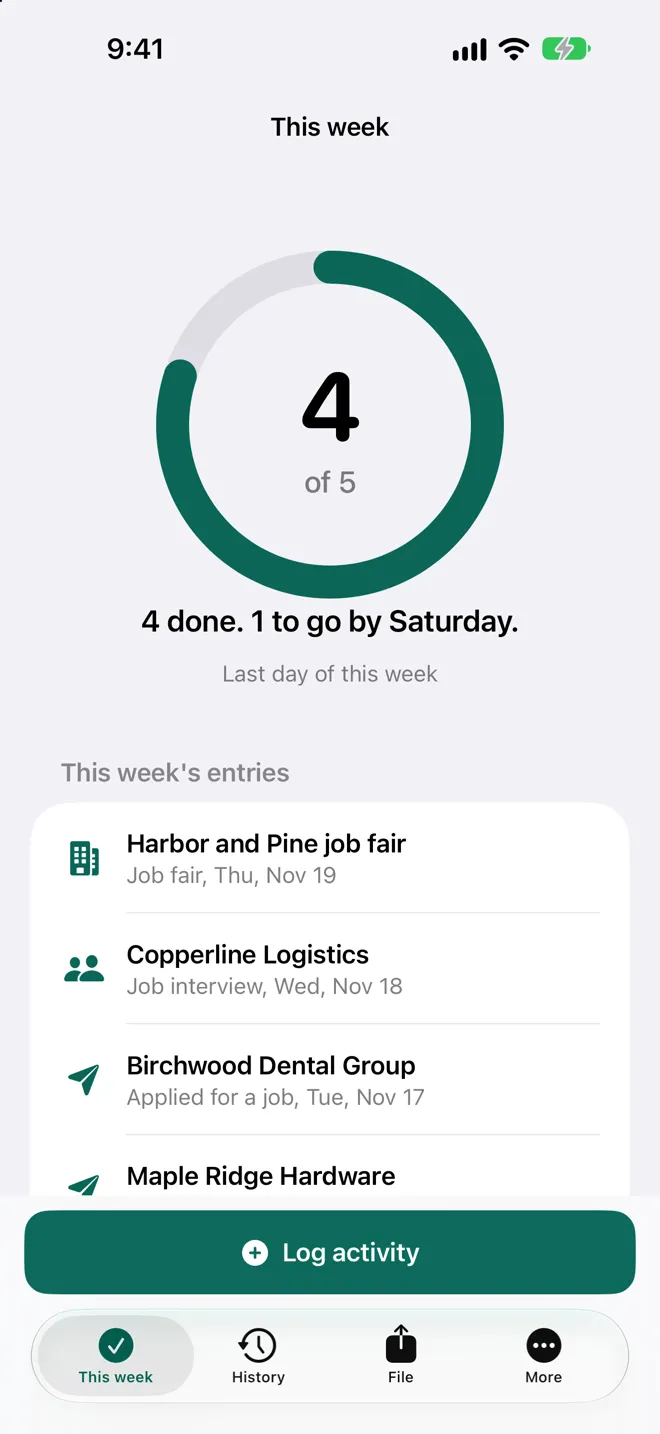
Choose your state once. Tap Log activity and pick what you did, such as an application, an interview, or a job fair.
Step 2
Add the details and proof
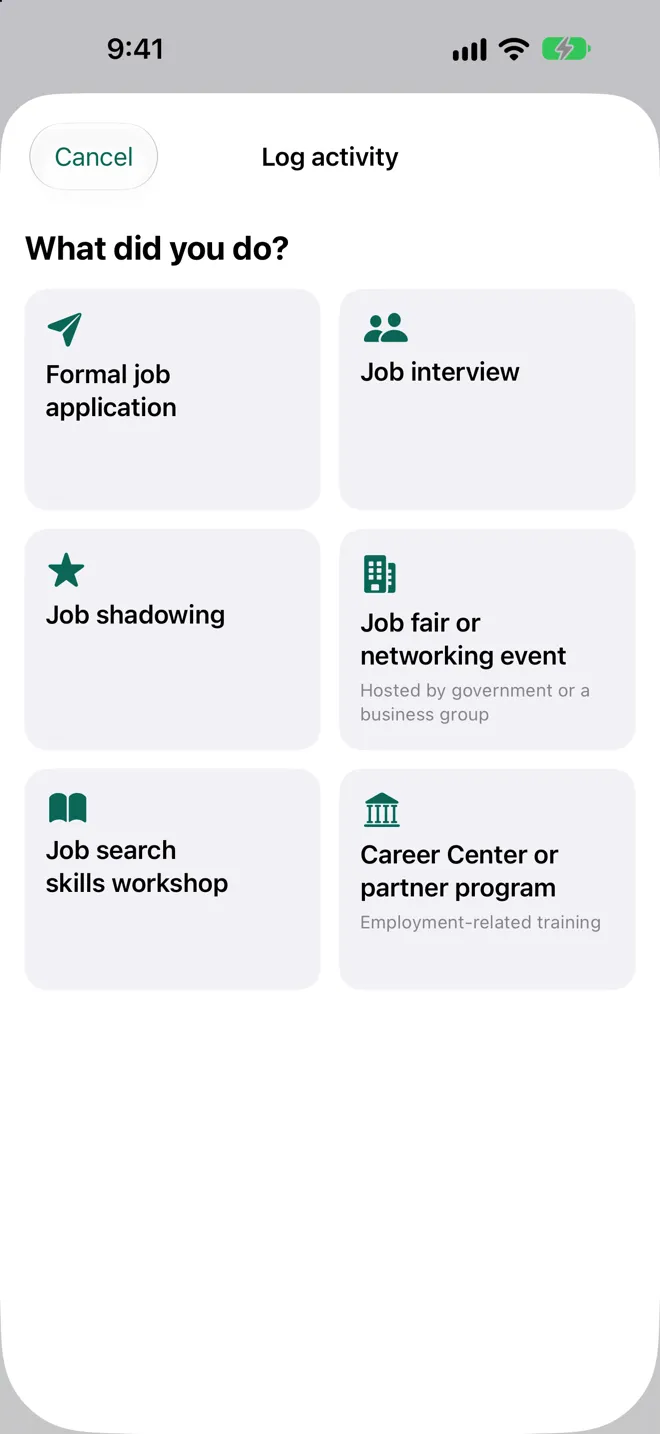
Fill in as much as you want. Add a photo from your library or take one with your camera.
Step 3
Get a filing-day reminder
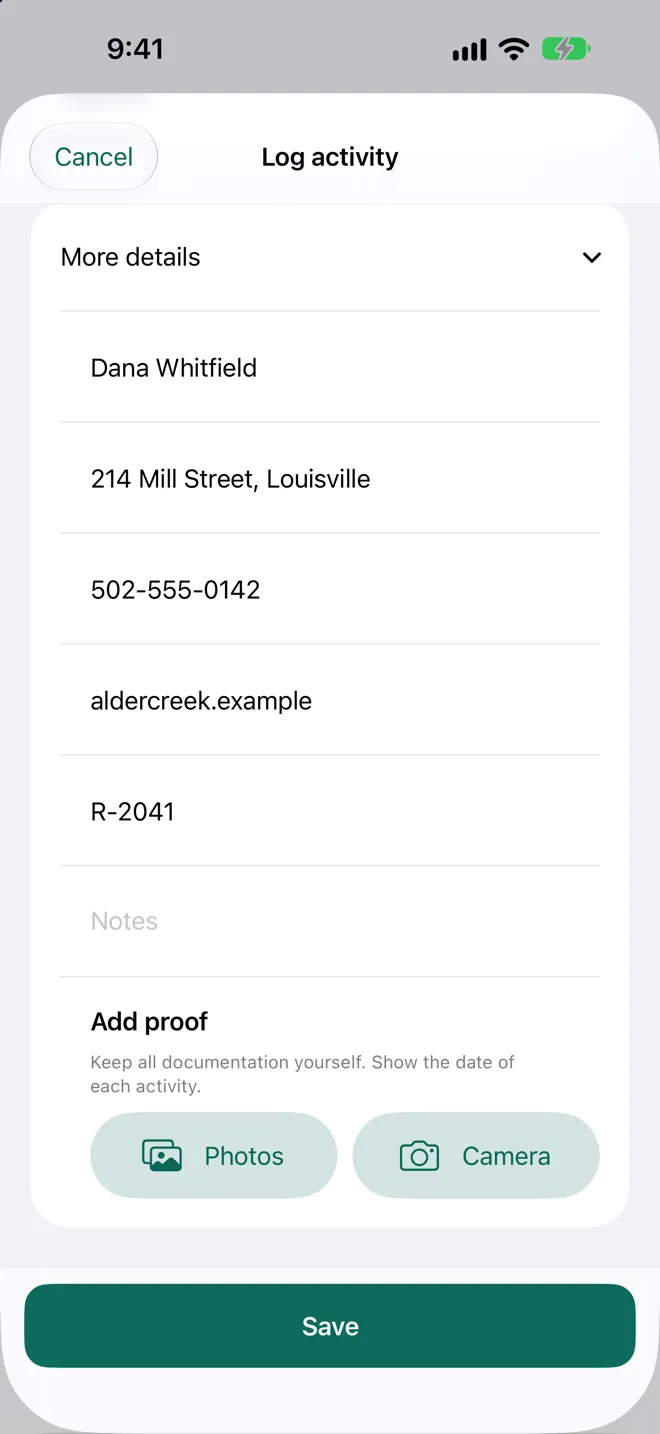
Set how often you file with your state. The app shows your next filing day and reminds you.
Step 4
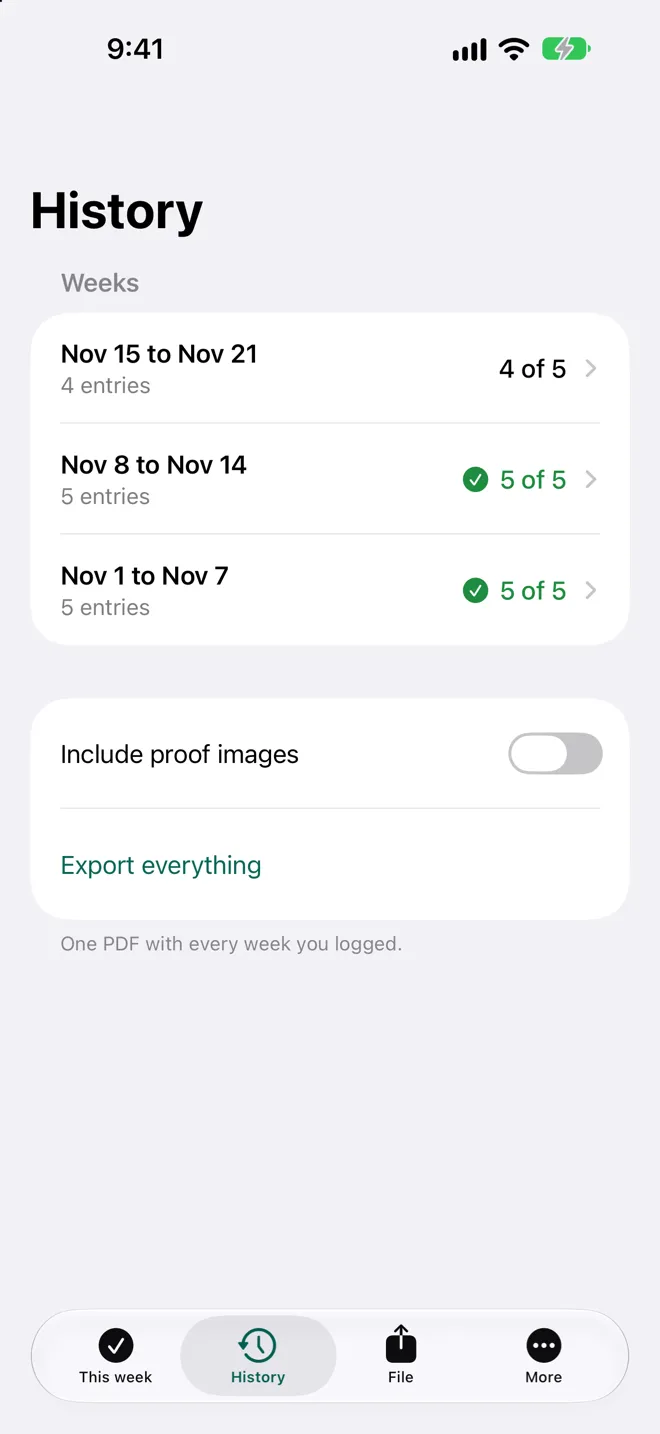
See each week, export a PDF
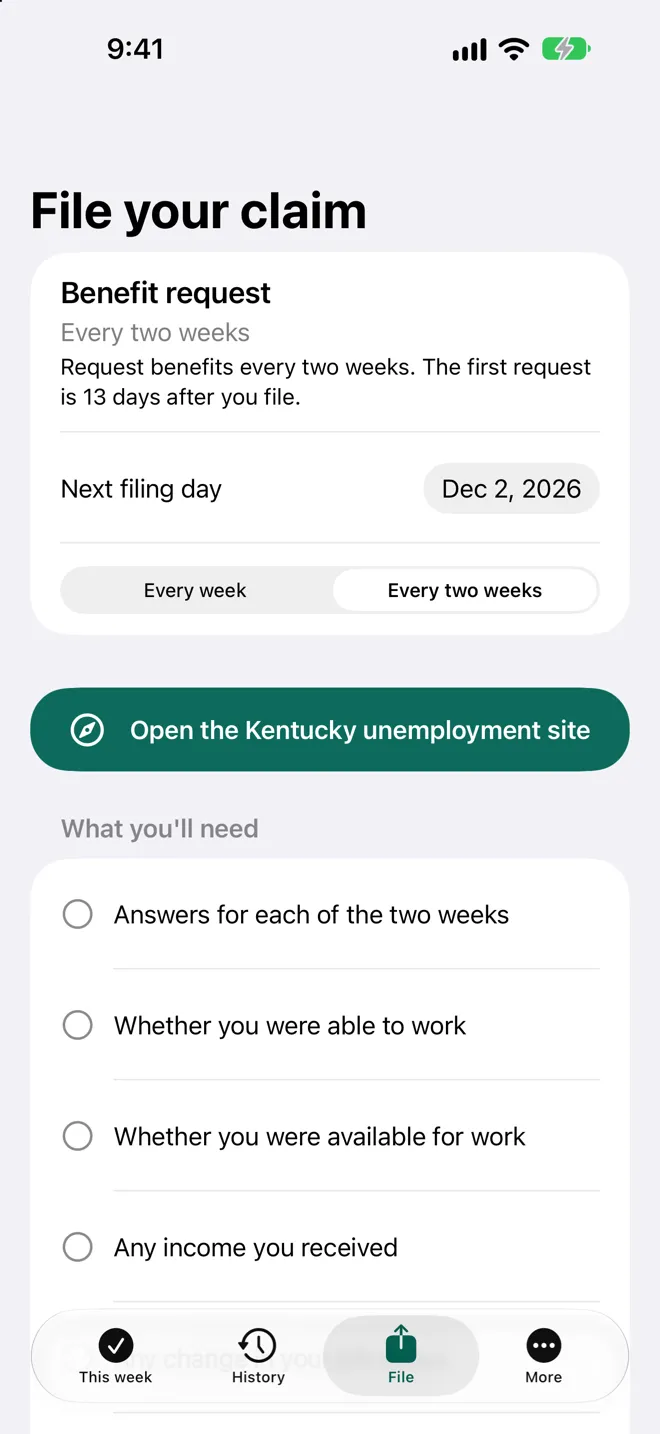
History shows how many activities you logged each week. Export everything as one PDF, with or without proof photos.
Why keep a record
$1.7 billion
in unemployment benefits were overpaid in one year because work search could not be confirmed. A state can ask for overpaid money back.
Source: U.S. Department of Labor, Benefit Accuracy Measurement, 12 months ending June 2024
1,084,046
benefit denials in 12 months for not being able, available, or actively looking for work.
Source: U.S. Department of Labor, ETA 207 report, 12 months ending September 2026
Your state
Legwork Log covers all 50 states and DC. Rules change, and each state does it differently, so your state's official site is the authority.
Your log stays on your phone
There is no account. Your entries, photos, and filing day are stored on your phone, and we do not receive them. The only thing sent to us is an optional count of link taps, described in the privacy policy. Read the full privacy policy.
Common questions
Is Legwork Log free?
Yes. Legwork Log is free on iPhone and Android.
Do I need an account?
No. There is no sign-up. Open the app, pick your state, and start logging.
Does it file my claim for me?
No. Legwork Log is a personal record. It does not connect to any state system. You still file with your state.
Which states does it cover?
All 50 states and DC. Rules change, so your state's official site is the authority.
What leaves my phone?
Your entries, photos, and filing day stay on your phone. The only thing sent to us is an optional count of link taps. If you export a PDF, it goes where you send it.
How do I get help?
Email [email protected]. A person reads it. Tell us which state you picked and what you saw.
Legwork Log is made by KyrosWorks LLC.
Privacy policy · Support · More from KyrosWorks
Not affiliated with any government agency. Rules change, so always check your state's official site.